FluentSnippets lets you add custom PHP, HTML, CSS and JavaScript to a WordPress site without editing
theme files. Anything you would normally drop into functions.php, paste into a header-and-footer
plugin, or add through a “custom CSS” box goes here instead, in one place, with a switch to turn each
piece on and off.
The part that makes it different from other snippet plugins is where the code lives.
Files, not database rows
Most snippet plugins keep your code in a database table and run a query on every page load to fetch
it. FluentSnippets writes each snippet to its own PHP file in
wp-content/fluent-snippet-storage/ and loads it with include(), the same way WordPress loads a
plugin.
That has a few consequences worth knowing up front:
- No database queries at runtime. The plugin reads each snippet’s settings once, caches them in a
generated
index.php, and from then on it knows what to load without asking anything. - Your snippets are ordinary files. You can commit them to Git, review them in a pull request, copy them between sites, or read them in an editor.
- Nothing else can reach them through SQL. A SQL injection elsewhere on the site cannot rewrite code that is not in the database.
- They keep running without the plugin. Standalone mode installs a small must-use plugin that loads the same files, so you can deactivate or delete FluentSnippets and your code carries on working.
How it works covers the storage layout and the index in detail.
What you can build
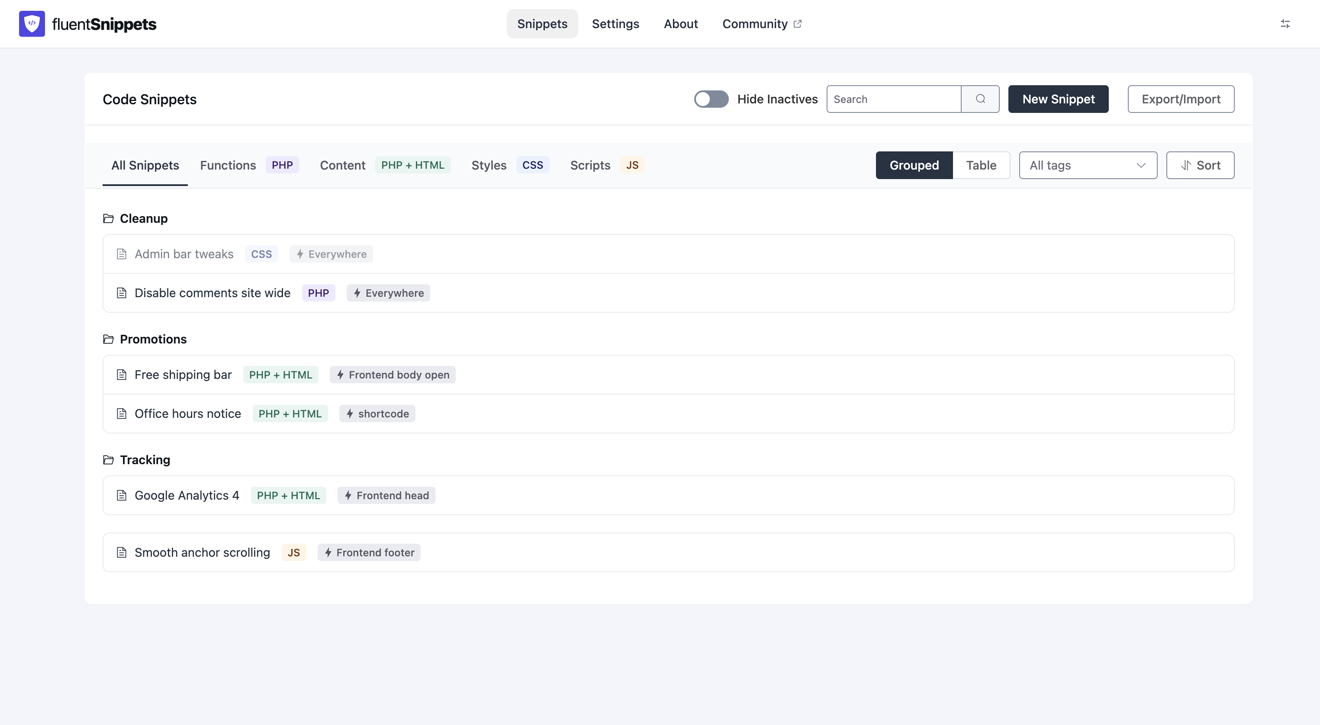
There are four snippet types, each with its own set of run locations:
| Type | Language | Typical use |
|---|---|---|
| Functions | PHP | Hooks, filters, custom functions, integrations |
| Content | PHP + HTML | Tracking tags, banners, markup before or after post content, shortcodes |
| Styles | CSS | Front-end or admin styling, block editor styles |
| Scripts | JavaScript | Third-party embeds, small interactions |
Every snippet can be limited to the pages it belongs on with conditional logic, given a hook priority, and organised into groups and tags.
Requirements
| Requirement | Value |
|---|---|
| WordPress | 6.0 or later |
| PHP | 7.3 or later |
| Database tables created | None |
| Writable directory | wp-content/ (or wherever you point storage) |
FluentSnippets needs to be able to write to its storage directory. On almost every host that works
out of the box; if yours locks down wp-content/, you can move storage into the uploads folder with
the FLUENT_SNIPPETS_STORAGE_DIR constant.
Free, all of it
There is no Pro version, no paid add-on and no feature held back. The plugin is GPL licensed and the full source is on GitHub. If something is broken or missing, open an issue there.
Because it is free and open source, this documentation is the main support channel. It is written to answer the question rather than point you at a contact form, so if you find a gap, please say so.
A snippet is real code running on your site with full privileges. Only paste code you understand or trust, and test on staging before production where you can. FluentSnippets has guardrails (automatic error handling and Safe Mode) but they catch fatal errors, not bad ideas.