Conditional logic limits a snippet to the requests it belongs on. Instead of wrapping code in if
statements, you build the rule visually and FluentSnippets evaluates it before deciding whether to
run the snippet.
Open a snippet, expand Advanced Conditional Logic, and switch it on.
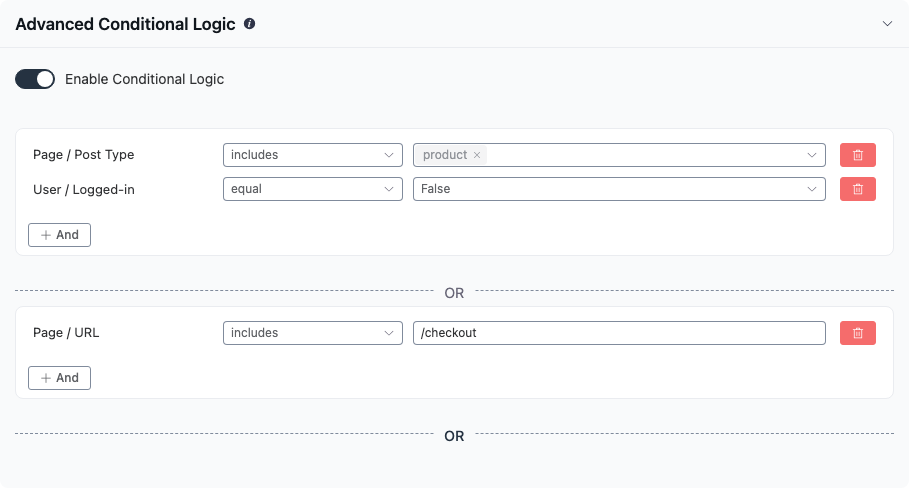
How groups combine
- Conditions inside one group must all match. They are ANDed.
- Any one group matching is enough. Groups are ORed.
The example above reads: run this snippet when (the post type is product AND the visitor is logged out) OR (the URL contains /checkout).
Use + And to add a condition to a group and the OR divider to start a new group. The bin icon removes a condition; removing the last condition in a group removes the group.
A snippet with conditional logic switched off runs everywhere its run location allows.
Condition sources
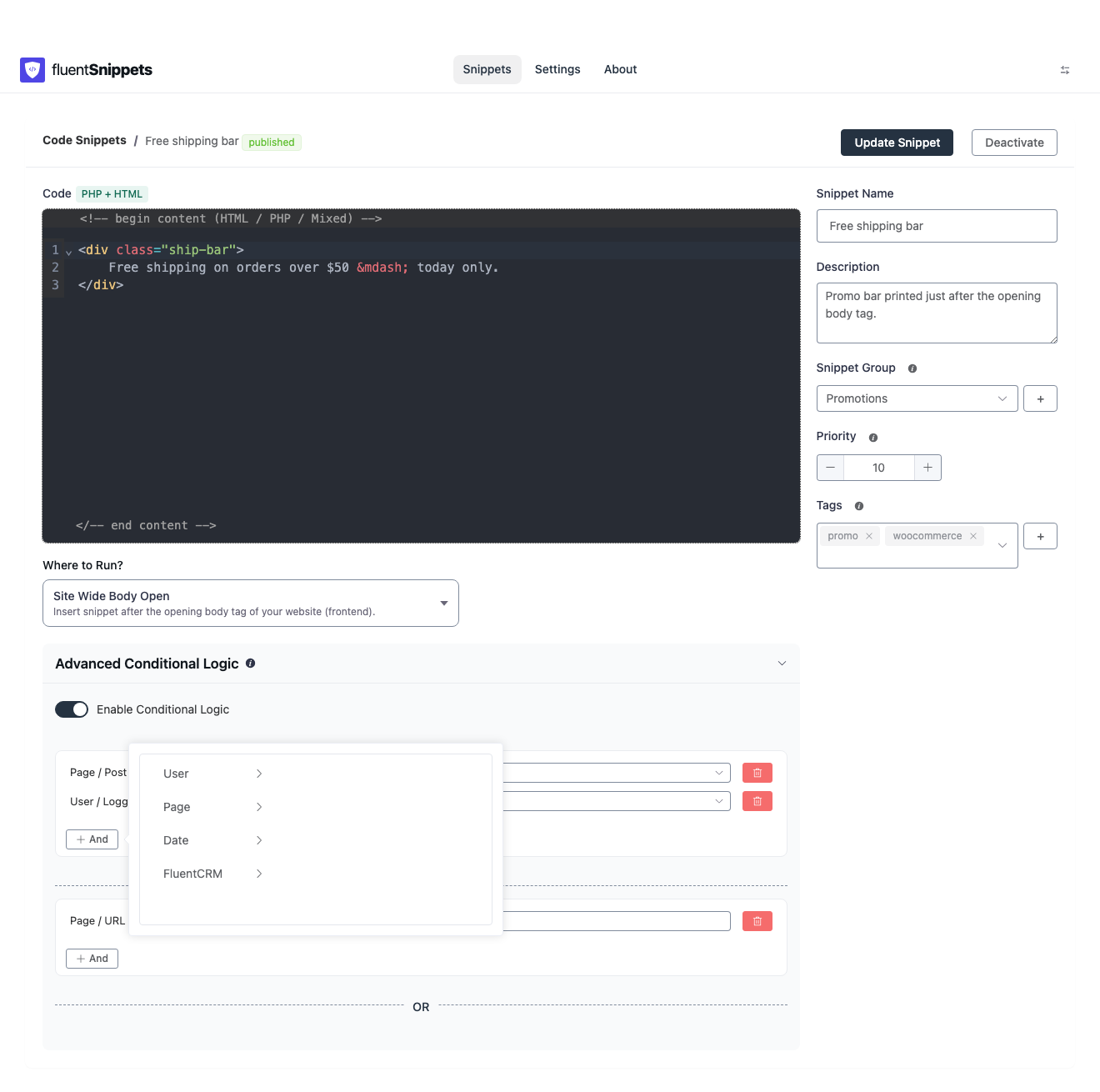
User
| Condition | Operators | Values |
|---|---|---|
| Logged-in | equal | True / False |
| User Role | includes in / not includes in | Any role on the site |
User Role matches against every role the current user holds, so a user with two roles matches either. A logged-out visitor has no roles, which means “not includes in Administrator” is true for them.
Page
| Condition | Operators | Values |
|---|---|---|
| Type of page | includes in / not includes in | Homepage, Archive, Single Post/Page/CPT, Search page, 404 page, Author page |
| Post Type | includes in / not includes in | Every public post type |
| Taxonomy Page | includes in / not includes in | Every public taxonomy |
| Taxonomy Term Page | includes in / not includes in | Specific terms, grouped by taxonomy |
| URL | includes / does not includes / equal / does not equal | Free text |
| Single Post/Page/CPT | includes in / not includes in | Specific posts, searchable by title |
A few details worth knowing:
- Type of page returns one value per request, checked in order: homepage, then singular, then
archive, then search, then 404, then author. A single post is
is_singular, neveris_archive. - Post Type and Single Post/Page/CPT only match on singular requests. On an archive they are false, even if the archive is of that post type.
- URL matches against the full current URL including query string, and the comparison is
lowercased.
includeswith/pricingmatcheshttps://example.com/pricing/andhttps://example.com/pricing/enterprise/. - Taxonomy Page matches the archive for a taxonomy. Taxonomy Term Page matches one specific term’s archive.
Date
| Condition | Operators | Values |
|---|---|---|
| Date Range | within / not within | A start and end date and time |
| Time Range | within / not within | A start and end time of day |
| Day of the week | includes in / not includes in | Monday to Sunday |
All three use the site’s configured timezone, not the visitor’s. Date Range is the one to use for a seasonal banner that should switch itself off; Time Range for something like an “office is open” notice.
FluentCRM
These conditions only appear when FluentCRM is active.
| Condition | Operators | Values |
|---|---|---|
| Is a CRM Contact? | equal | True / False |
| Contact Tags | includes in / not includes in | Your CRM tags |
| Contact Lists | includes in / not includes in | Your CRM lists |
They apply to the contact FluentCRM has identified for the current visitor, which may be someone who is not logged in but arrived from a tracked email link.
Operator reference
The labels in the picker map to these behaviours:
| Label | Meaning |
|---|---|
| equal / does not equal | Exact match |
| includes in | The current value is one of the values you selected |
| not includes in | The current value is none of the values you selected |
| includes / does not includes | Substring match, case-insensitive (text fields) |
| within / not within | Inside the given range (dates and times) |
When conditions are evaluated
Conditions need to know what page is being served, which means they cannot be checked at the very start of a request. FluentSnippets handles this per type:
- Functions snippets move from the
setup_themehook to thewphook as soon as you enable conditional logic, becausewpis the first point at which the main query has run. This is the one behaviour change worth remembering: a conditional Functions snippet runs considerably later than an unconditional one. See When your code runs. - Content, Styles and Scripts snippets are already attached to output hooks that fire well after the query, so nothing changes for them.
- Shortcode snippets are evaluated when the shortcode renders.
Where the rule is stored
The rule is written into the snippet’s own file as a JSON value on the @condition line, so it
travels with the snippet when you export it, commit it, or copy the file to another site. See
File format and headers.
Conditions are cheap, but they are not free. A snippet with conditions is still loaded and evaluated on every request. If a snippet only ever applies to one page, conditional logic is the right tool. If it applies to nothing at the moment, set it to draft instead.