How to add a Facebook pixel in WordPress without tracking yourself
Meta sent you a pixel and said to paste it in the header. One Content snippet, skip logged-in users.

Don’t open header.php. Don’t paste into Appearance → Theme File Editor. Don’t install a one-job “Facebook pixel” plugin that exists only to print the markup Meta already mailed you.
Meta still labels it the Facebook Pixel in places, and the Meta Pixel everywhere else. Same paste. I keep it in one Content snippet on Site Wide Header, then skip myself with Logged-in equals False so my own refreshes never show up in Ads Manager.
When this is the wrong post
If the pixel already lives in Google Tag Manager, PixelYourSite, Facebook for WooCommerce, or another plugin, don’t paste a second copy. You’ll double-fire PageView.
If you only have a measurement ID that starts with G-, that isn’t a pixel. Use the header and footer walk.
If you’re on Conversions API alone and never need the browser pixel, stop here. This walk is the script Meta puts in the page head.
Install FluentSnippets
Get it from WordPress.org or from our get page.
In wp-admin go to Plugins → Add New. Search FluentSnippets. Click Install, then Activate.
No account. Open FluentSnippets in the left menu. You’re on the snippets list.
The paste lives in the header, not a pixel plugin
Open FluentSnippets. You should see the list, even if it’s empty.
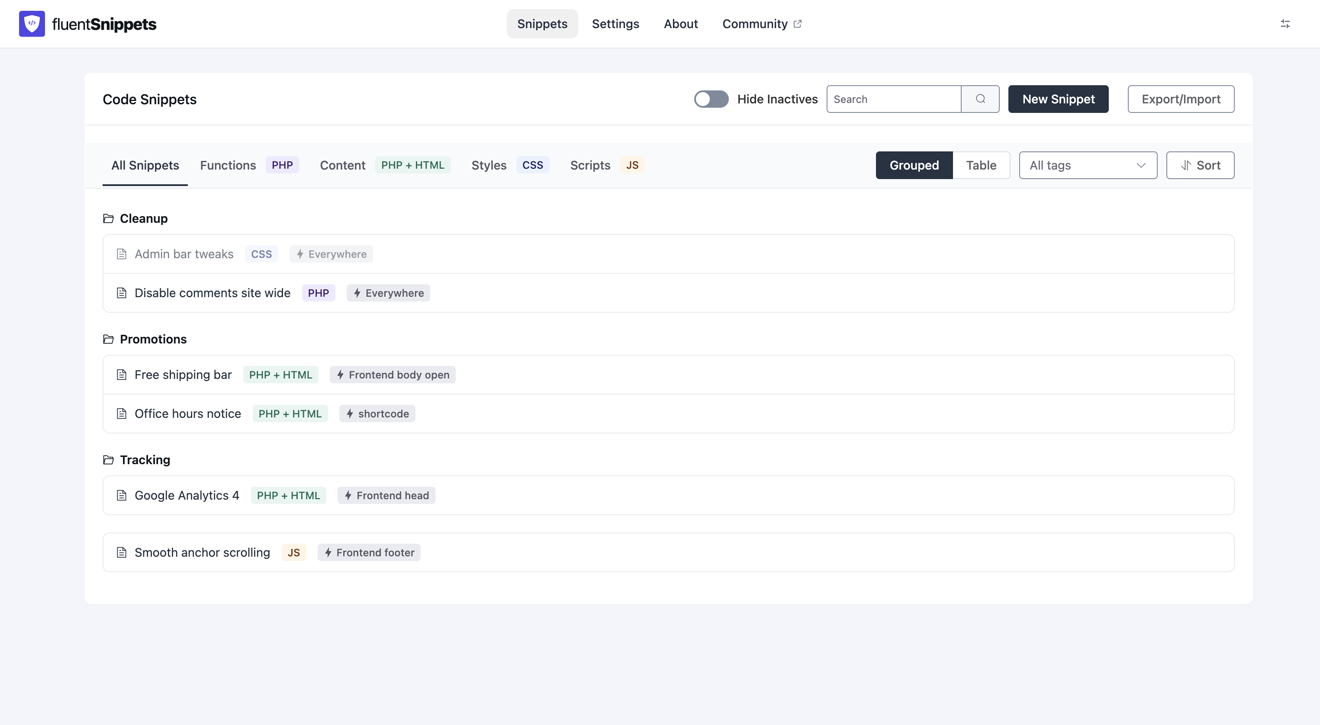
Click New Snippet.
Create New opens. Functions (PHP) is already selected. That’s for PHP. The Meta Pixel is HTML, so switch to the green Content (PHP + HTML). Don’t pick Scripts (JS). Scripts refuse a leading <script>, and Meta’s base code starts with one.
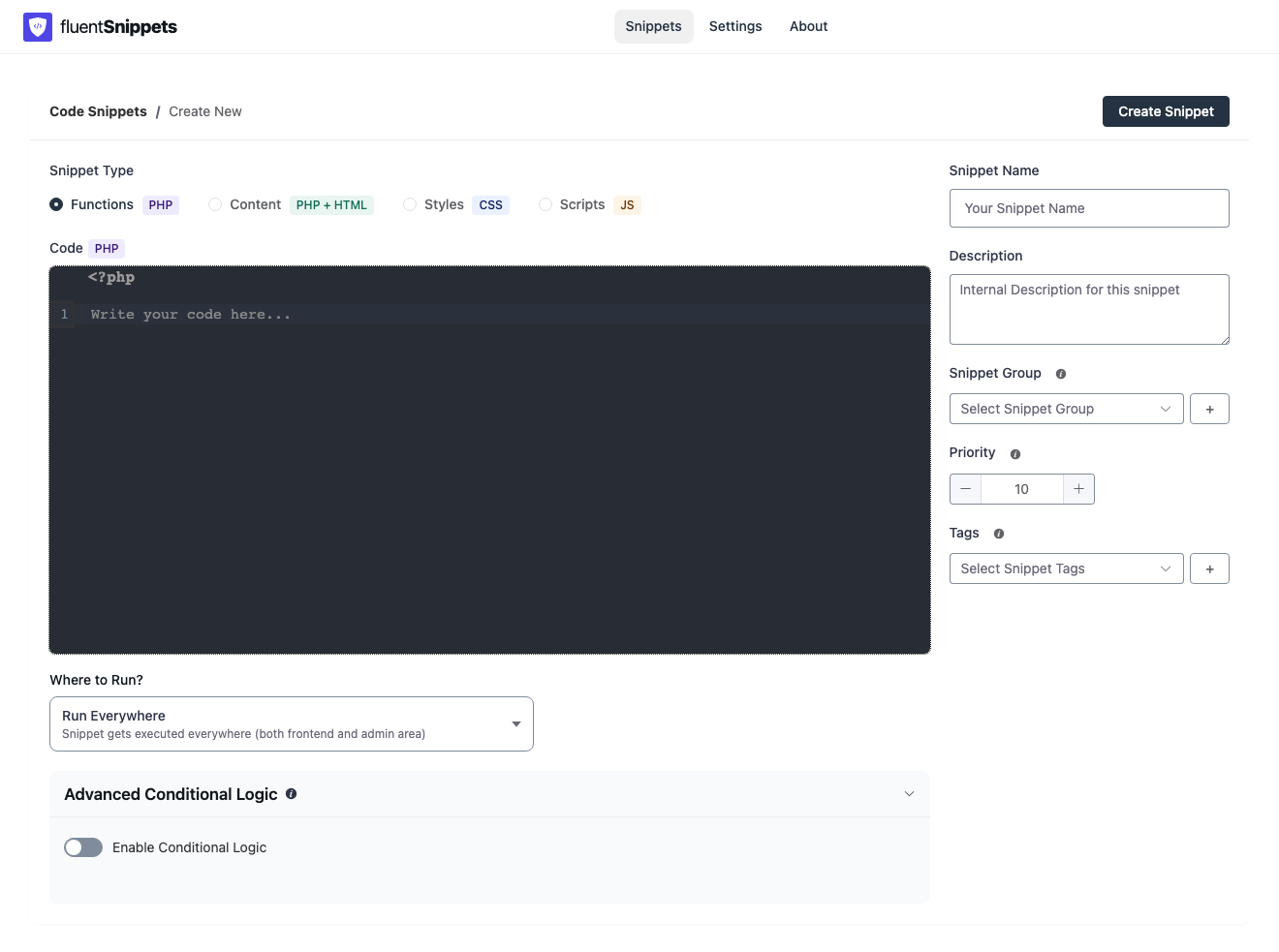
Name it Meta Pixel. Description, group, and tags can wait.
Open Where to Run?.
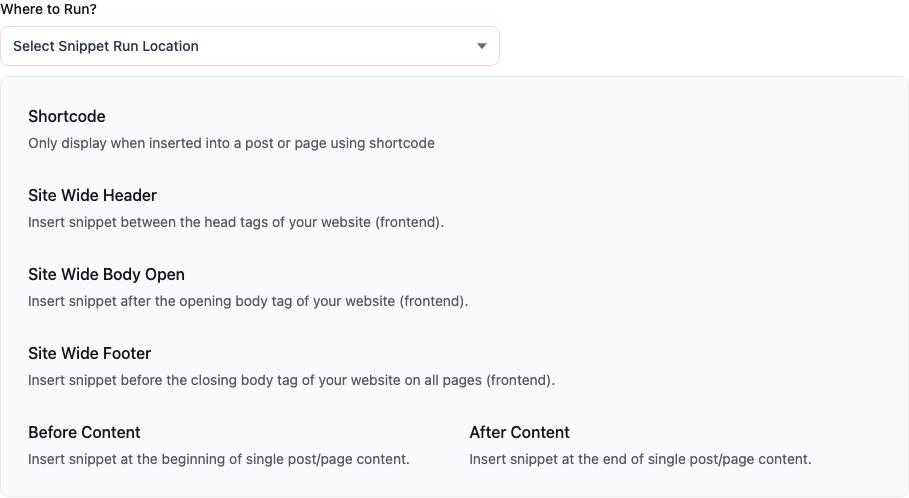
Click Site Wide Header.
Paste the base code Meta showed you. Script and noscript stay together in this one snippet. Unlike Tag Manager, you don’t split them across two rows. Swap every 000000000000000 for your pixel ID.
<!-- Meta Pixel Code -->
<script>
!function(f,b,e,v,n,t,s)
{if(f.fbq)return;n=f.fbq=function(){n.callMethod?
n.callMethod.apply(n,arguments):n.queue.push(arguments)};
if(!f._fbq)f._fbq=n;n.push=n;n.loaded=!0;n.version='2.0';
n.queue=[];t=b.createElement(e);t.async=!0;
t.src=v;s=b.getElementsByTagName(e)[0];
s.parentNode.insertBefore(t,s)}(window, document,'script',
'https://connect.facebook.net/en_US/fbevents.js');
fbq('init', '000000000000000');
fbq('track', 'PageView');
</script>
<noscript><img height="1" width="1" style="display:none"
src="https://www.facebook.com/tr?id=000000000000000&ev=PageView&noscript=1"
/></noscript>
<!-- End Meta Pixel Code -->
Paste it as Meta sent it. Don’t wrap PHP around it to skip yourself. That skip belongs on the condition panel.
Click Create Snippet. Check the paste. Publish it. You want the green published badge.
Skip yourself with Logged-in equals False
Every pixel install has the same awkward moment: you load the homepage while logged in, and Ads Manager counts you as a visitor.
On the same snippet, expand Advanced Conditional Logic. Switch it on. Add one condition: User / Logged-in equal False.
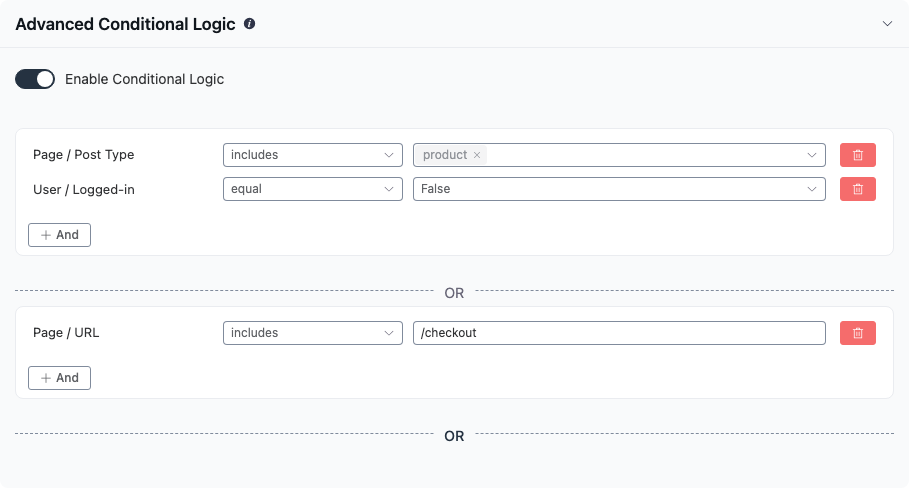
Now the pixel runs for visitors and stays quiet for you. If you still want editors tracked, use User Role, not includes in, Administrator instead. Logged-out people have no role, so they still match.
Go back to the list when you’re done.
Check it while logged out, then while logged in
Open a public page in a private window, or log out first. View source. Search for fbevents.js or your pixel ID. Both should sit near the top of the page.
Log back in and check the same page. With Logged-in equal False, that markup should be gone.
Meta’s Pixel Helper extension is fine for a second pass. The source check is enough to know the snippet is printing.
When you want the pixel off, open FluentSnippets and deactivate the row.
One rule to keep
If Meta sends you a pixel for the header, put it in one Content snippet on Site Wide Header, then skip yourself with Logged-in equals False.
How to add Google Tag Manager without opening your theme if the pixel already belongs in a container. Conditional logic for every source and operator on that panel.