How to stop editing functions.php in WordPress
Theme updates put the file back. Put the same PHP in a Functions snippet instead, with an off switch.

Don’t open Appearance → Theme File Editor. Don’t FTP into functions.php. Don’t keep a sticky note of which child theme file you patched last week. The next theme update puts the original file back, and your PHP is gone.
I keep that code in FluentSnippets. One Functions snippet. Same hooks. An off switch when I want it quiet.
When this is the wrong post
If you are building a theme you will ship to other people, the code belongs in the theme. Don’t peel it into a snippet on your laptop and forget it.
If the PHP has to run before plugins load, a snippet is too late. That belongs in wp-config.php or a must-use plugin.
If Google (or Meta) only sent you a tag to paste, you want the header and footer walk. That’s HTML, not PHP.
Install FluentSnippets
Get it from WordPress.org or from our get page.
In wp-admin go to Plugins → Add New. Search FluentSnippets. Click Install, then Activate.
No account. Open FluentSnippets in the left menu. You’re on the snippets list.
Leave Functions selected
This is PHP, the same kind of code that used to live in functions.php. Functions (PHP) is already selected when you arrive. Leave it.
Open FluentSnippets.
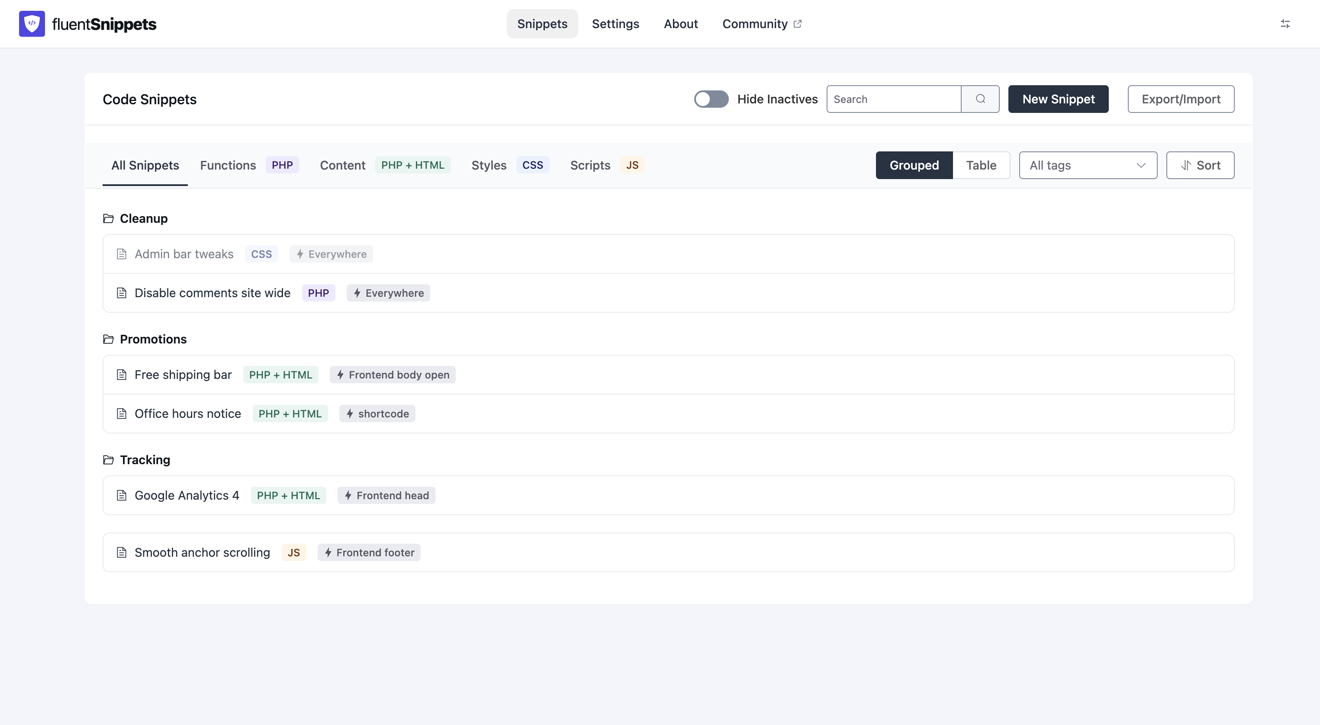
Click New Snippet.
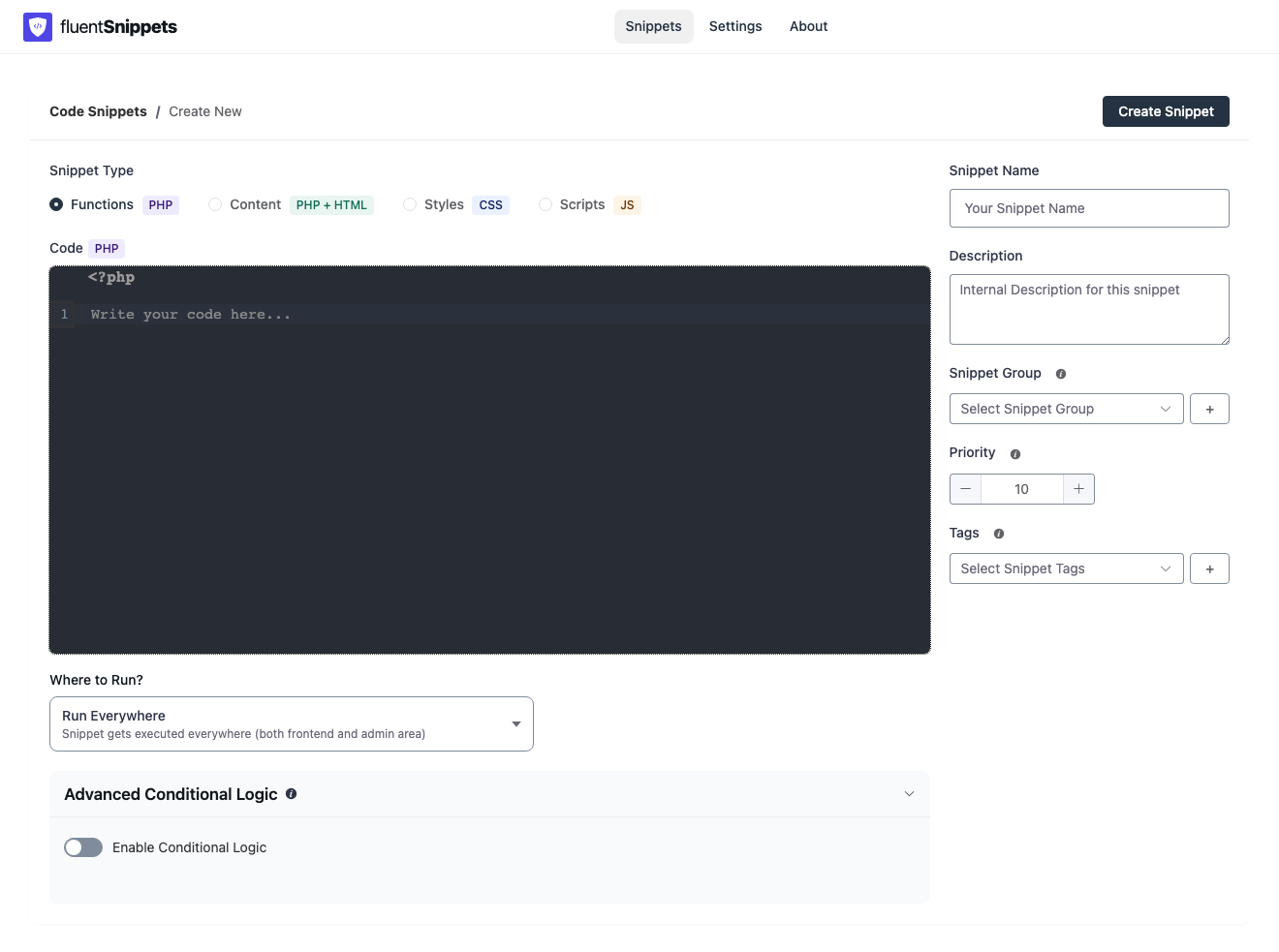
<?php on the first line. Don't type a second one. Where to Run? is already Run Everywhere. Leave that too.Name it something you’ll recognize later. For this walk I’ll use Remove WordPress version.
The paste is PHP, not a tag
This is a tiny, common functions.php paste. It stops WordPress from printing its version in the page head.
Paste under that gray first line. Don’t wrap it. Don’t add another <?php.
remove_action( 'wp_head', 'wp_generator' );Click Create Snippet. Then publish it. You want the green published badge.
View source on a public page. Search for generator. That meta tag should be gone.
The list after it is on
Go back to the snippets list.
Anything else you used to drop into functions.php follows the same clicks. Change the paste. Keep the type on Functions (PHP). Keep Run Everywhere unless you only want admin or only the front.
A few other common pastes live in the Functions docs: a current-year shortcode, a shorter excerpt, a body class on one page.
One rule to keep
If you would have opened functions.php, open FluentSnippets instead. Theme updates cannot eat a published snippet, and you don’t have to remember which file you touched.
How to disable WordPress comments without a comments plugin if you want a longer Functions paste. Functions snippets for run locations and why a second <?php is refused.