A full redesign, and the story behind 50,000 sites
Dark mode, every screen redrawn, and real runtime work underneath — plus the origin story most of those fifty thousand sites have never heard.

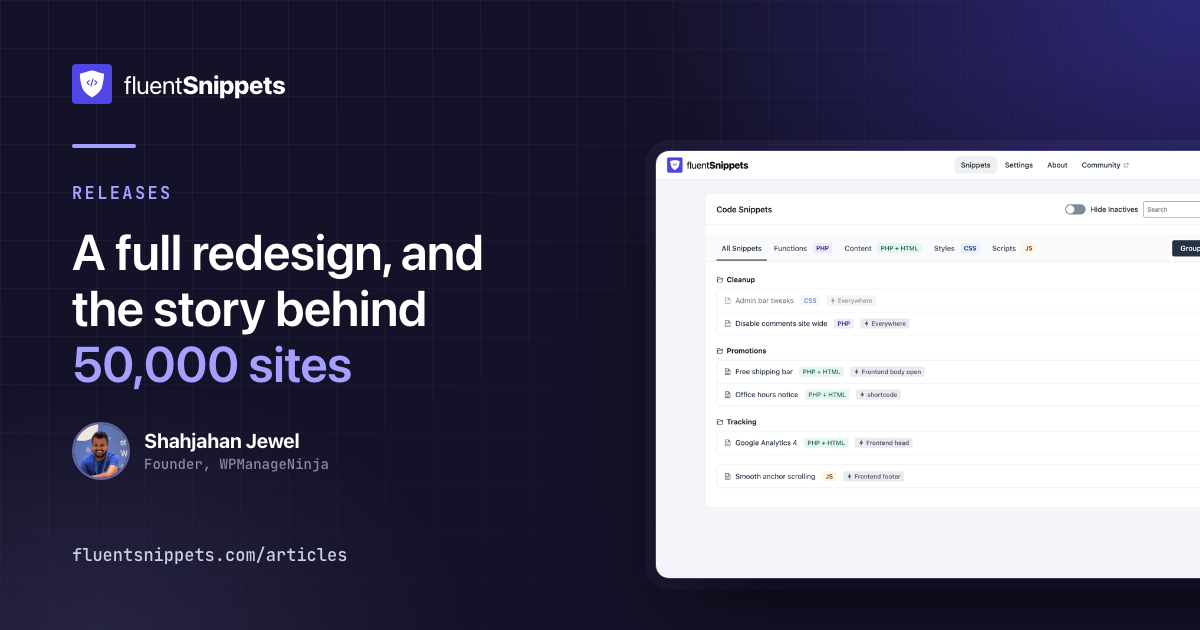
10.56 is out. The visible half is a dark theme and a redesign of every screen. The half you will never see is where most of the time went: the fatal error handler, the snippet index, and the import path all got taken apart.
It also lands just as FluentSnippets crossed 50,000 active installations on WordPress.org, and a
round number is a good excuse to tell a story most of those fifty thousand sites have never heard.
It starts with this plugin being refused entry to the directory, and it explains something you may
have wondered about: why the address there still says easy-code-manager.
Fifty thousand sites, and why the URL says easy-code-manager
FluentSnippets started as an objection. A few years ago I went looking at the code-snippet plugins in the directory and found they all did the same thing: store your PHP in the database and evaluate it on every request. I think that is the wrong design — wrong for security, wrong for performance, wrong for anyone who has ever inherited a site and needed to know what code actually runs on it. Executable code belongs in files, where OPcache can compile it and version control can see it. (The full argument is here; it is the reason this plugin works the way it does.) As an engineer I could not leave that alone, so I built the plugin I thought should exist: every snippet a real PHP file on disk.
I submitted it to WordPress.org, and it was rejected. Not for anything in the code — the review team had stopped accepting new plugins in the code-execution category altogether. That is a defensible policy for them and a dead end for me: a finished plugin, a problem I knew was real, and no way to reach the people who had it.
So I went looking for the other door. New plugins could not enter the category, but existing ones could still change hands. I searched the directory for a snippets plugin that had been abandoned and found Easy Code Manager: about a thousand active installs, and no update in roughly three years. I emailed the developer and asked to take it over. He was glad someone wanted it, we agreed on a price, and I bought the plugin.
Then I replaced the internals with the plugin I had already written. The part that took actual care was the thousand sites still running the old version: the first FluentSnippets release migrated every existing snippet into the file-based format on update, because the one unacceptable outcome was breaking the people who had trusted the plugin before I ever touched it. The name changed, the engine changed, and nobody’s site noticed.
That was three years ago.
FluentSnippets is a weekend project. The company’s products get the team and the weekdays; the free plugins — FluentSMTP, FluentAuth, this one — are what I build on weekends, because they are things I want to exist whether or not anyone pays for them. In practice that means a proper release every few months and long stretches where I half forget the plugin is out there. It spent those stretches growing anyway. A thousand sites became fifty thousand, on a plugin that is completely free, with no paid tier.
I have shipped a lot of software. Not much of it has made me happier than this: fifty thousand sites running something built on weekends, because a rejection email did not seem like a good enough reason to stop.
Now, the release itself, visible parts first.
Dark mode
There is a theme switch in the top right of every FluentSnippets screen. Light, dark, or whatever your operating system is set to.
The setting is shared with the other Fluent plugins on purpose. If you have already chosen dark in FluentCRM or FluentCart, FluentSnippets opens dark the first time you visit it, and neither plugin needs to know the other is installed. Switching it here moves an open tab of any of them.
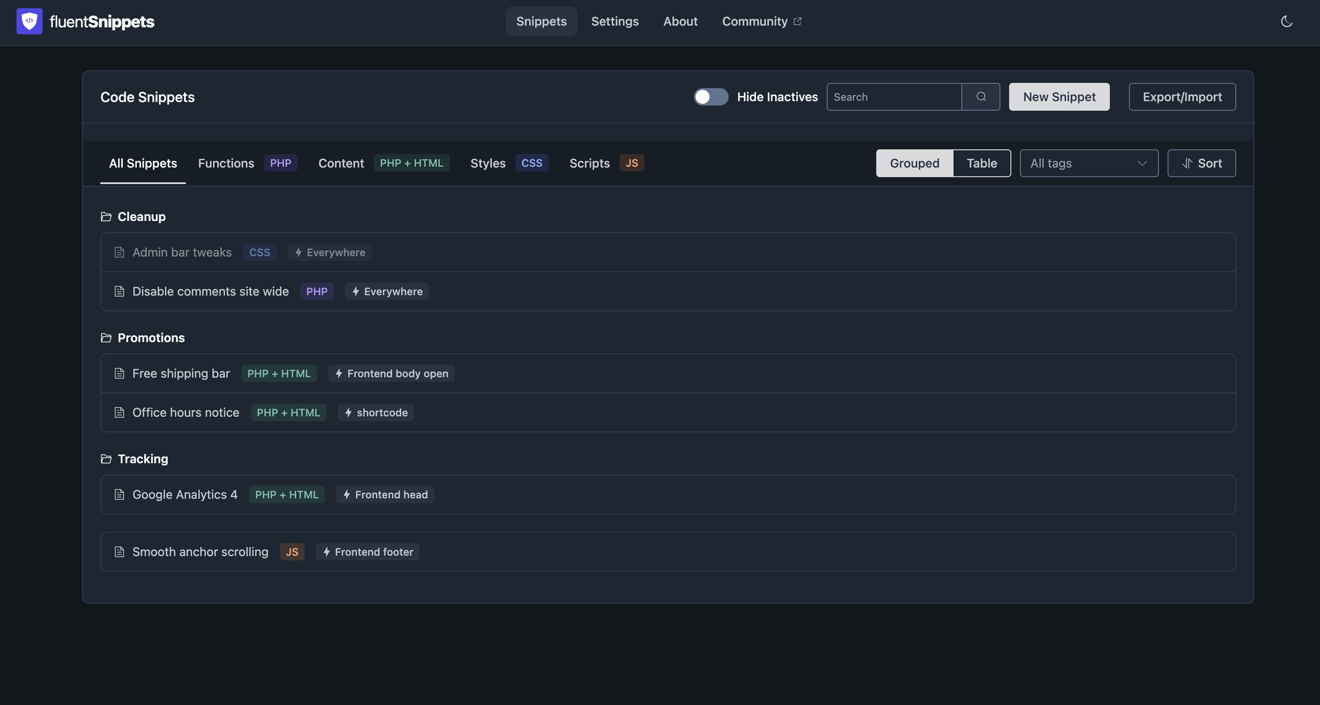
Your choice is applied before the first paint rather than after, so there is no white flash on load.
When you pick “System”, what your machine currently resolves to is stored alongside the choice, which
is what makes that possible: the script that runs before paint knows the answer without waiting on
matchMedia.
Every screen redrawn
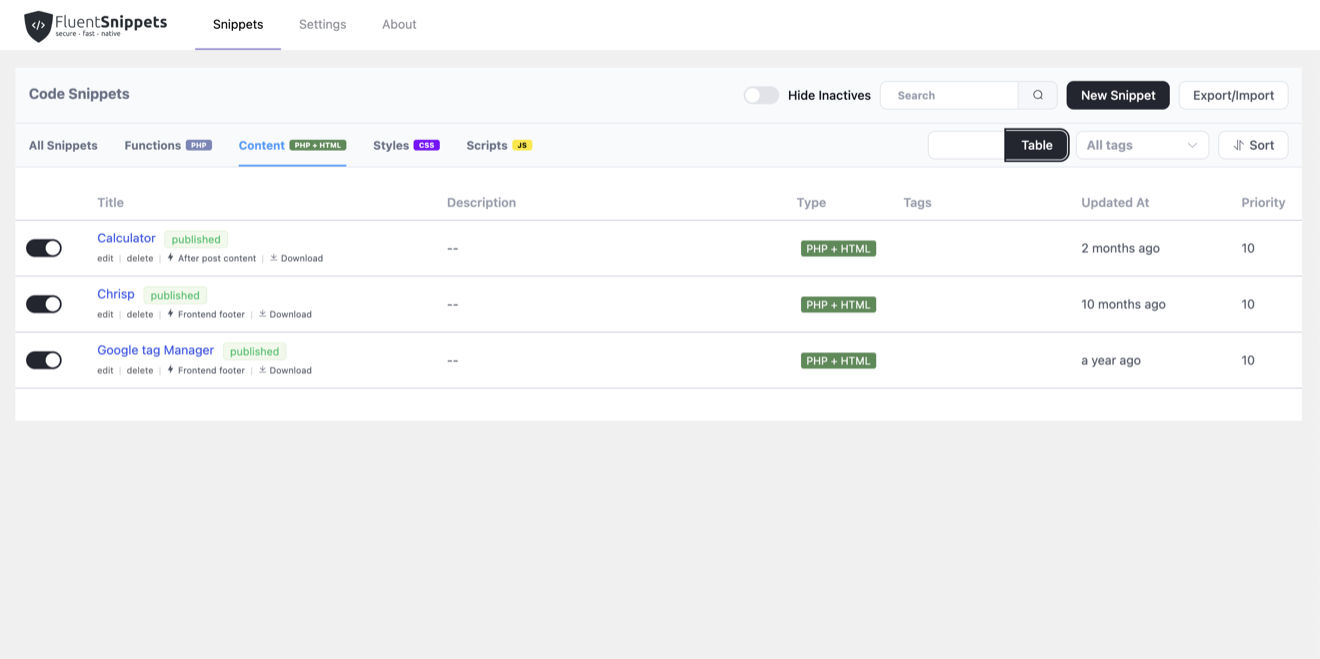
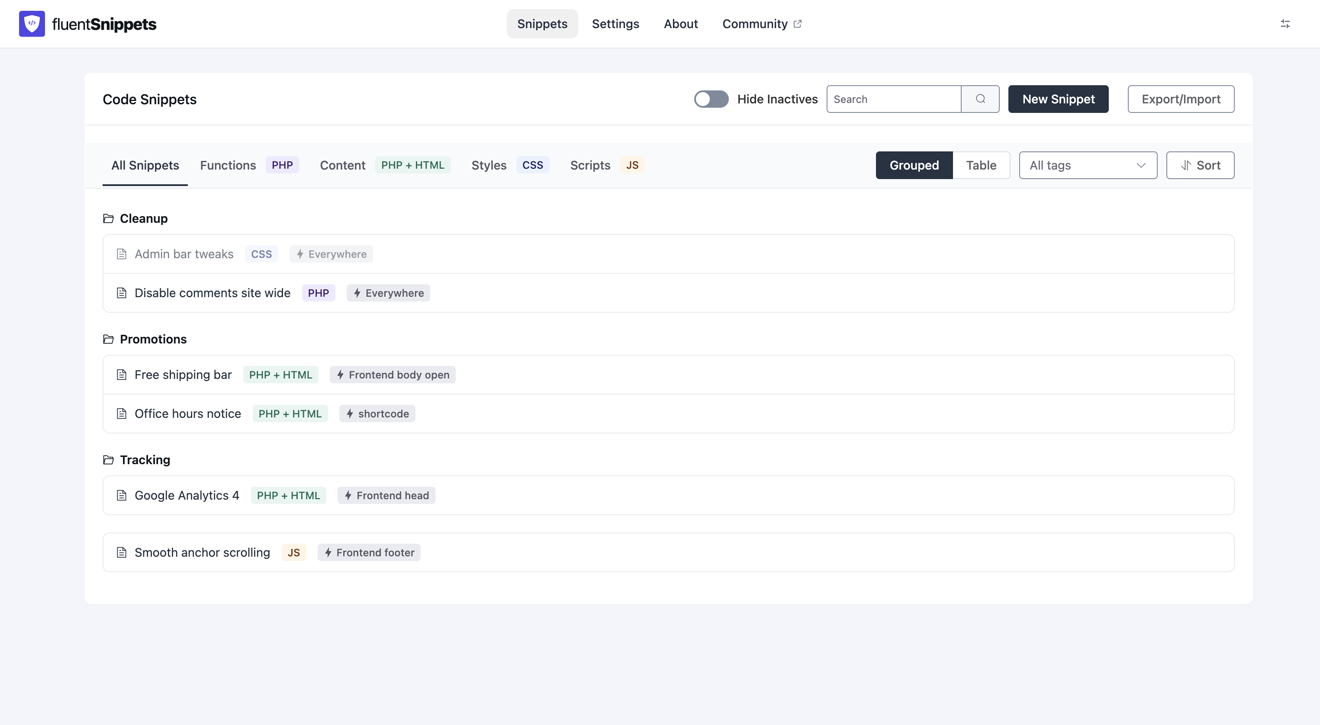
The snippet list, the editor, Settings and About have all been rebuilt on the shared Fluent design system: the same palette, spacing and radii as the rest of the plugins in the menu, so moving between them stops feeling like moving between different products.
Seeing it is quicker than reading about it. The snippet list, before and after:
And the editor, where you actually spend your time:
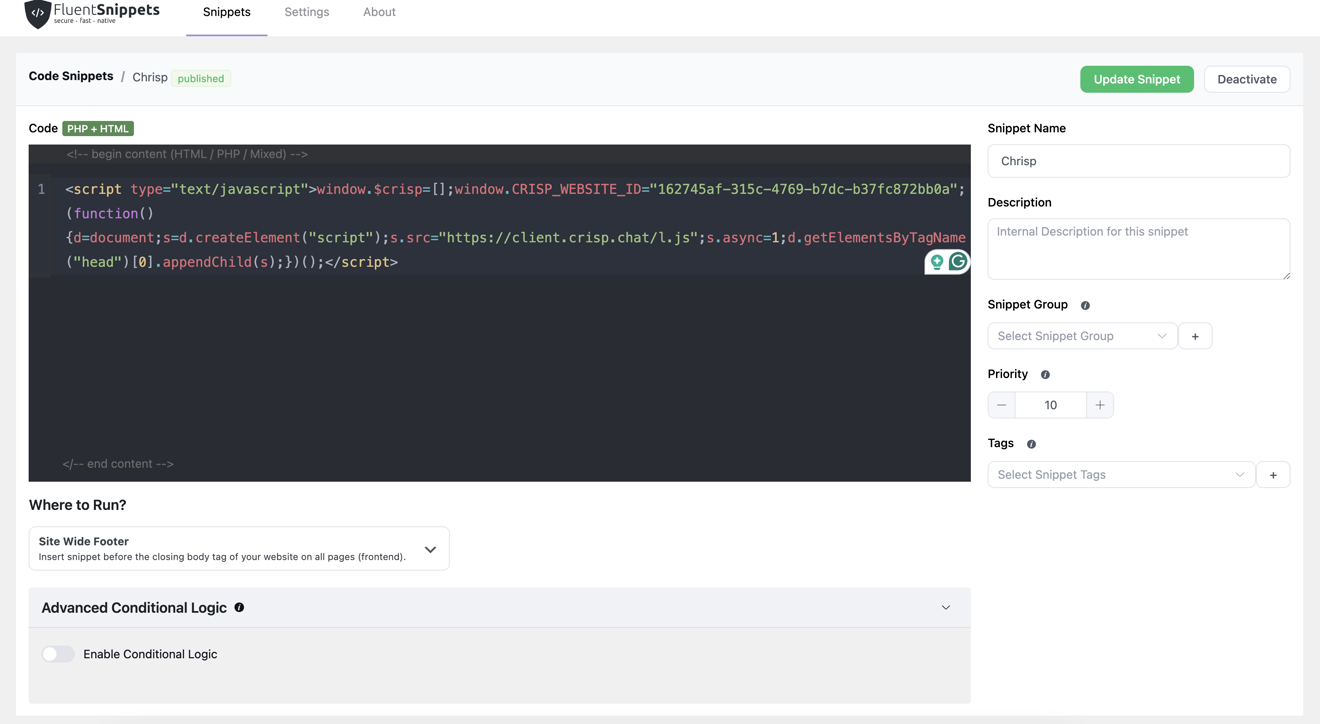
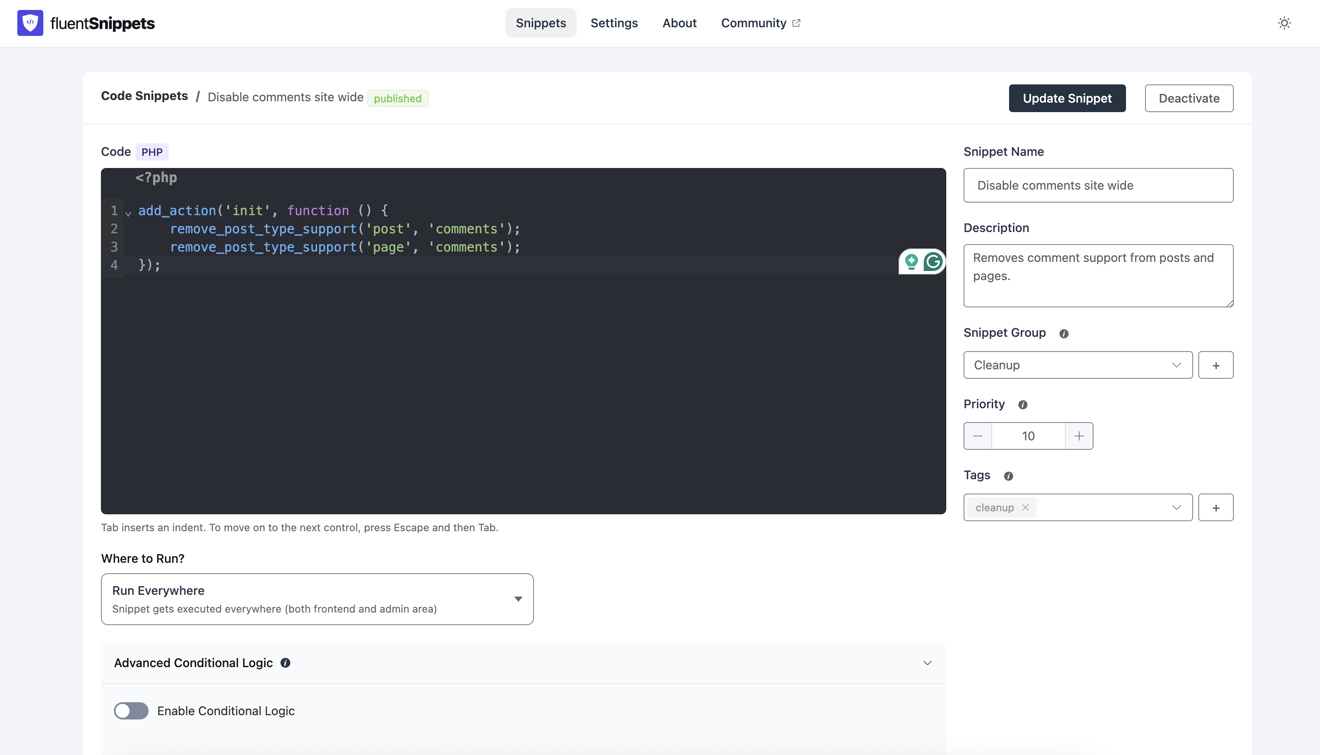
Contrast was checked properly this time rather than eyeballed. Every screen meets WCAG AA in both themes, including the parts that are easy to forget: placeholder text, disabled controls, badge labels, and the syntax colours in the code editor.
The About screen also picked up a card listing the team’s other free plugins, with an install or activate button for each. Free plugins from the WordPress.org directory only. A page that says there is no paid tier and then shows you a grid of Pro badges is not saying anything.
Fatal errors now blame the right snippet
“Automatically disable snippet on fatal error” has been on by default for years. It was firing on far fewer failures than you would assume.
Three things were wrong. Only E_ERROR counted, so a parse error, which is the one failure that
breaks every subsequent request, was the one case guaranteed never to be caught. The snippet was
identified from the file path in the error, which only matches when the fatal happens inside the
snippet itself. And on any deploy where the storage directory is a symlink, the path comparison
failed for every fatal, including the ones it used to catch.
That middle one is the interesting case, because it is the common one. Your snippet is fine. It calls something that is not:
add_action( 'woocommerce_before_cart', function () {
    // Fine until the plugin that defines this changes its API.
    my_shop_helper()->render_notice();
} );
The fatal is reported inside another plugin’s file. Nothing about that error points back at your snippet, so the old handler blamed nobody and the site stayed down.
FluentSnippets now tracks which snippets are mid-execution on a stack, pushed and popped around every include. A fatal error does not unwind the call stack, so whatever is still on that stack when the request dies is the code that led there. That is the snippet it pauses, and the message it records keeps the downstream location so you can see which file actually blew up:
Fatal error while this snippet was running: Uncaught Error:
Call to a member function render_notice() on null in
wp-content/plugins/some-plugin/includes/helpers.php:812
Everything else on the site keeps running. The snippet shows up in the list as paused with that message where its description would be, and saving it clears the error and restores its previous status.
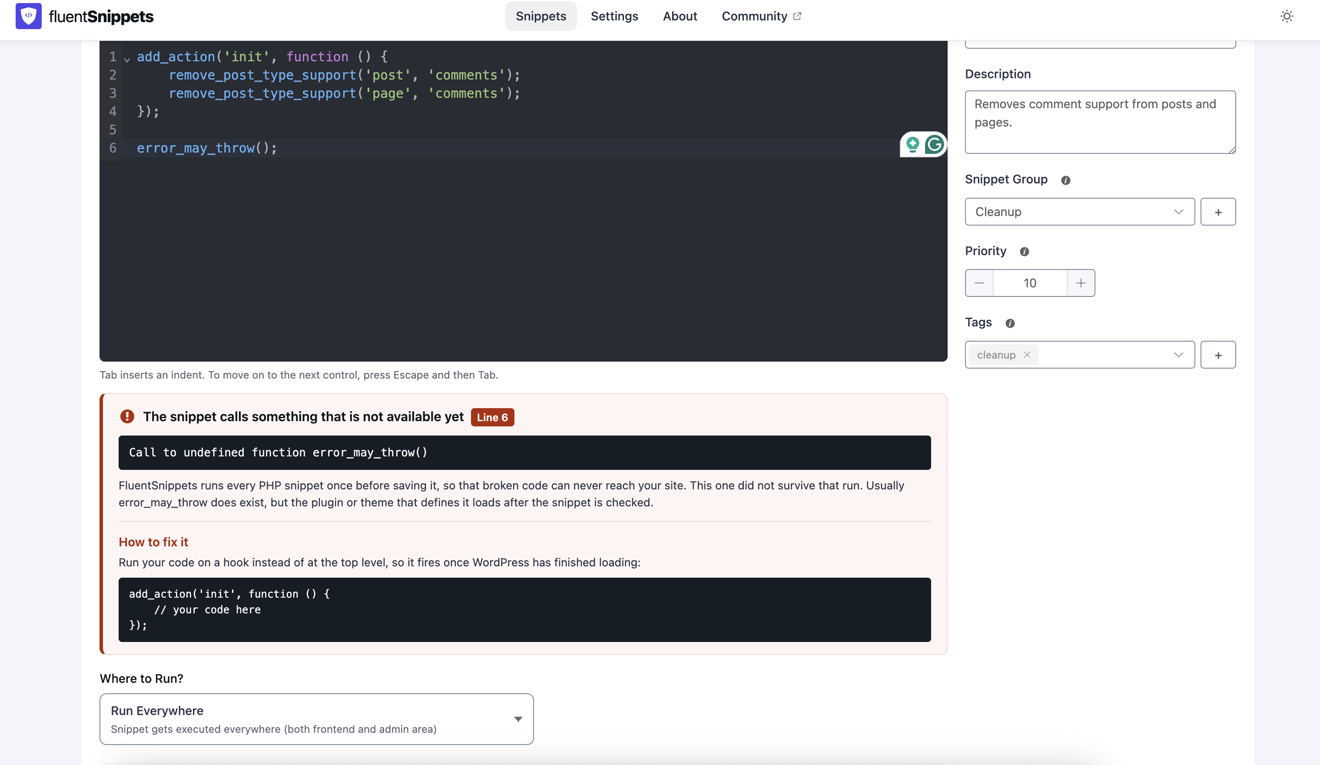
The other half of the safety net runs before a snippet is ever stored: every PHP snippet is executed once at save, and code that fails that run never reaches your site. Those failures used to be reported in a toast that vanished; now they get a panel that stays put, names the line, and suggests the fix:
The snippet list stopped rebuilding the index
Loading the snippet list used to force a full index rebuild. So did every search keystroke, every pagination click, every filter change. On a site with 150 snippets that was 150 file reads and a write, on a read request, every time.
The rebuild could not simply be deleted. It is the only thing that heals an index that has drifted from what is on disk after an FTP edit, a deploy, or a migration. So it was split in two: a cheap fingerprint of the storage directory built from stat data only, and a rebuild that runs when the fingerprint has moved. The admin app checks that once when it boots, in parallel with the first list load, and re-fetches the list only if the rebuild actually changed something.
Listing snippets now does no index work at all. Every write path still rebuilds unconditionally, exactly as before.
Writes also became atomic. Files are written to a temp file next to the target and renamed over it, so a request that includes a snippet while it is being saved sees either the whole old file or the whole new one. Previously there was a window, small but real, where it could see a half-written file and fatal.
Import got the permission check the rest of the plugin already had
Importing snippets required install_plugins. Every other authoring path also requires
unfiltered_html, and import needed it more than most, because validating an imported PHP snippet
executes it.
Separately, import forces every snippet to draft, but that could be overridden from the file itself.
Snippet metadata is stored as * @key: value lines in a docblock, and the parser keeps the last
value it sees for a key, so a crafted value could open a new field reading @status: published and
win. Together those two meant a valid nonce plus install_plugins, without unfiltered_html, could
land a published PHP snippet running on every request.
install_plugins normally implies code execution anyway, since it installs plugins. This mattered
on sites that deliberately take unfiltered_html away while leaving install_plugins in place,
where every other authoring path correctly refuses. Import now requires both, and the sanitiser that
writes docblock values is fixed at the one chokepoint every write goes through.
Fixing that also fixed an older bug: a * anywhere in a conditional logic rule, which a URL pattern
can legitimately contain, used to break parsing for the whole snippet.
It works again on locked-down installs
If your wp-config.php has this, FluentSnippets used to disappear:
define( 'DISALLOW_FILE_MODS', true );Managed hosts set it as a matter of course, and anyone deploying wp-content from version control
sets it deliberately. WordPress core responds by taking install_plugins away from every user on the
site, administrators included. FluentSnippets gated everything on that one capability, so the menu
entry vanished and the page returned a 403 if you reached it by URL, with nothing anywhere to explain
why. The snippets were still on disk and still running.
Reading and writing are now separate questions. Reading falls back to activate_plugins, or
manage_network_plugins on multisite, which reaches exactly the people install_plugins would have.
Writing still needs install_plugins and stays refused, because that is precisely what the constant
is asking for. You can see and audit your snippets on those sites now, instead of being told nothing.
The rest
- Clicking in the code editor places the cursor instead of selecting the whole snippet.
- Line wrap in the editor now takes effect on page load. The setting was being sent under a key the editor never read, so turning it on, reloading and finding it off again was the symptom.
- Error text on the snippet list is shown in the error colour again.
- The snippet list shows an inactive count, and offers to reset your filters when nothing matches.
- Pagination reports the true total, so sites with more than 200 snippets can reach every page.
- The welcome screen is no longer skipped on a fresh install when “Hide Inactives” is on.
- Fixed a JavaScript error on the dashboard of a site with no snippets yet.
- Save errors are reported in a panel that says what failed, rather than a toast that vanishes.
- Deleting a snippet prunes its error record, and stale records left by older versions are cleaned up on the next rebuild.
- Three REST routes nothing called,
POST snippets,snippets/createandsnippets/update, were removed. The editor has used admin-ajax for both operations for several releases. - The storage directory gets an
.htaccessdenying direct access to.phpfiles. Defence in depth only, since theABSPATHguard at the top of every snippet file already covers any request PHP processes.
Standalone sites pick up the runtime changes the next time the mu-plugin runner is rewritten, which happens automatically on a version bump.
Getting it
Update from Plugins → Updates in wp-admin, or download it from the WordPress.org directory. Nothing in this release changes the snippet file format, so downgrading is safe if you need to.
The full source is on GitHub. If something in here does not behave the way it reads, open an issue and we will look at it.
One small ask
FluentSnippets is free and stays free, so there is nothing in this post to buy. But there is one number in it that is lopsided: fifty thousand sites, and 54 reviews.
Reviews are the one currency a free plugin runs on — they are how the next person decides whether to trust it with their site. If FluentSnippets has saved you a support ticket, an FTP session or a Friday night, leaving a review takes two minutes, and for a weekend project it is honestly most of the reward.